Setting an On/Off Schedule
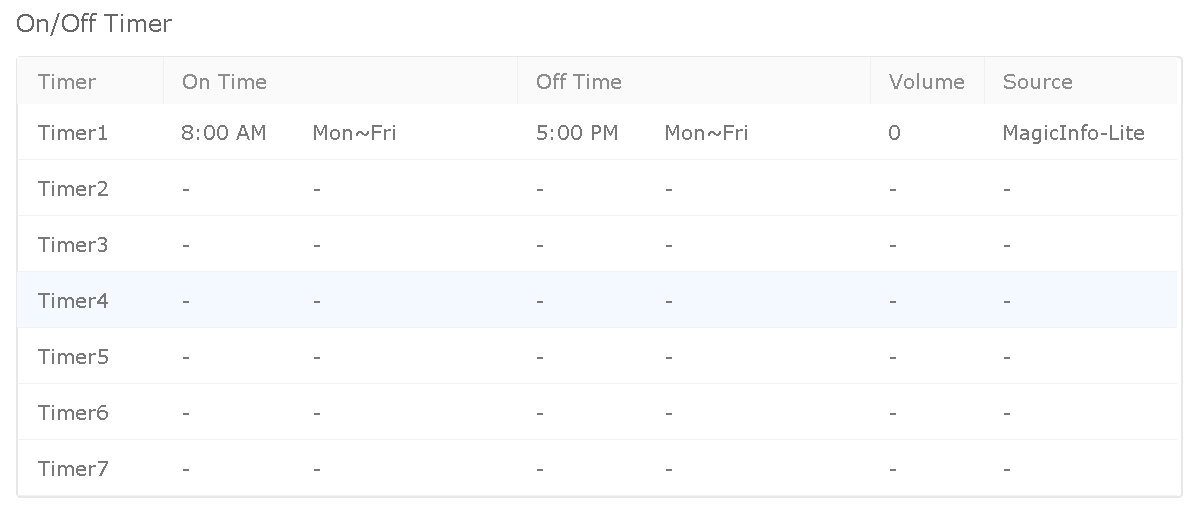
A device can be configured to power on and off automatically, so it only displays content during the hours you choose. The schedule is defined per device with on/off timers, edited from the server.
Configure the timers
-
Log in to MagicINFO Server and open the Device section.

-
Locate the device you want to schedule and click its i (information) icon.

-
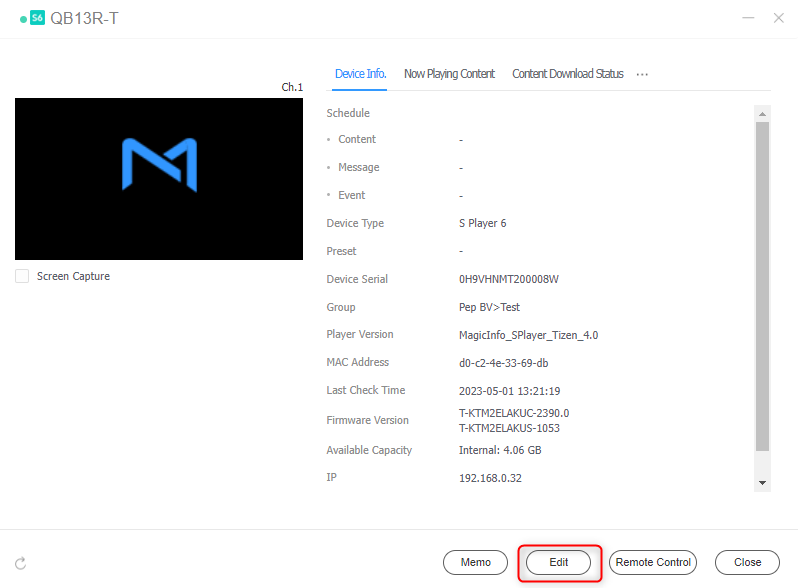
In the window that opens, click Edit.
-
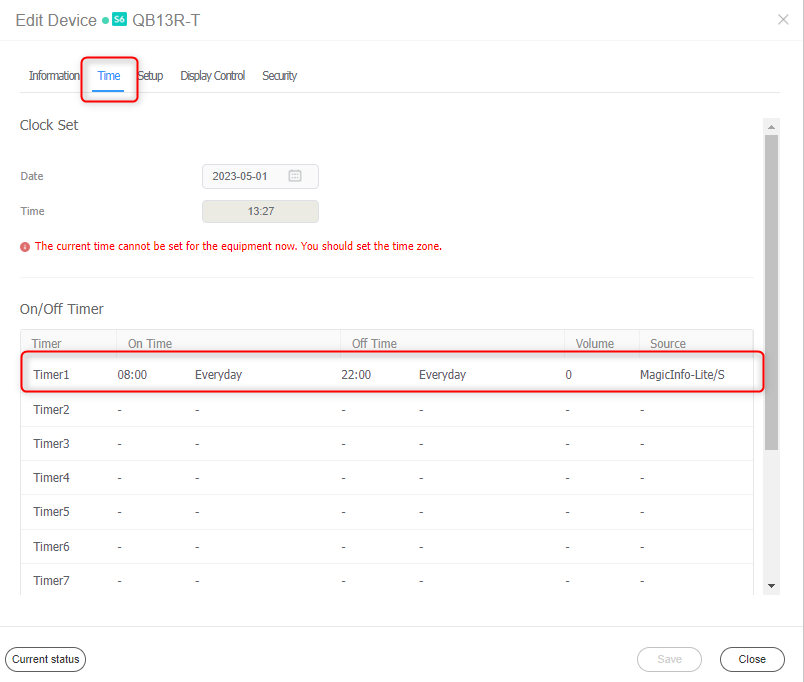
In the edit pop-up, open the Time tab. Any existing timers are listed here — click a timer (for example Timer 1) to open it.
-
Configure the On Timer:
- Select the days on which the On Timer is active.
- Set the time at which the device should turn on.
- Set the startup volume.
0is recommended for signage. - Set the source to MagicINFO-Lite/S.
-
Configure the Off Timer:
- Select the days on which the Off Timer is active.
- Set the time at which the device should turn off.
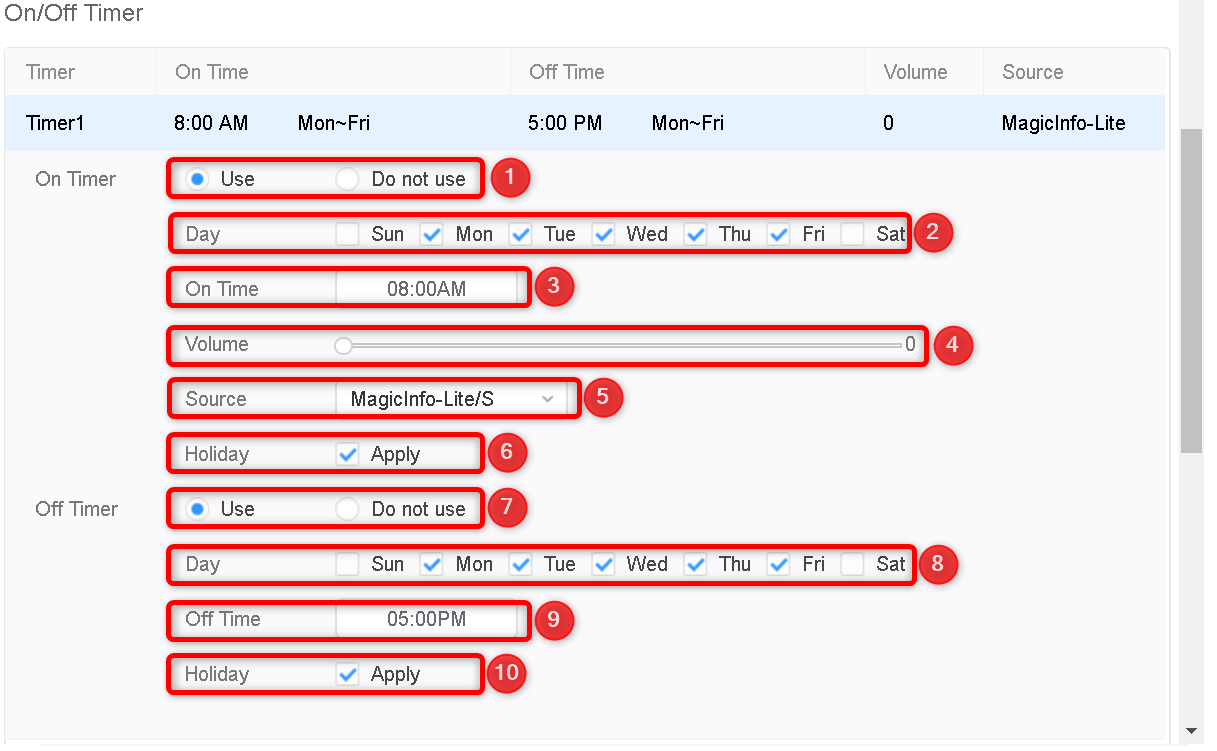
An active holiday schedule on the device overrides the on/off timers on the configured holiday dates.
Working with multiple timers
Up to seven timers are available per device. Use a separate timer for each distinct on/off pattern — for example, one timer for weekdays and another for weekends — rather than combining different times in one timer.