Setting the Slide Time for FTP Content
When a display plays an FTP content item, the files in the FTP folder rotate like a slideshow. How you adjust the time each file stays on screen depends on how the FTP item was published:
- FTP item placed directly in a schedule — the slide time can be set in the schedule itself.
- FTP item added to a playlist — the slide time cannot be set on the server. In this case it can only be changed in the display's on-screen menu, as described below.
Changing the slide time on the display
Step 1. On the display's remote control, press Home, then go to Player > Options > Slideshow Speed.
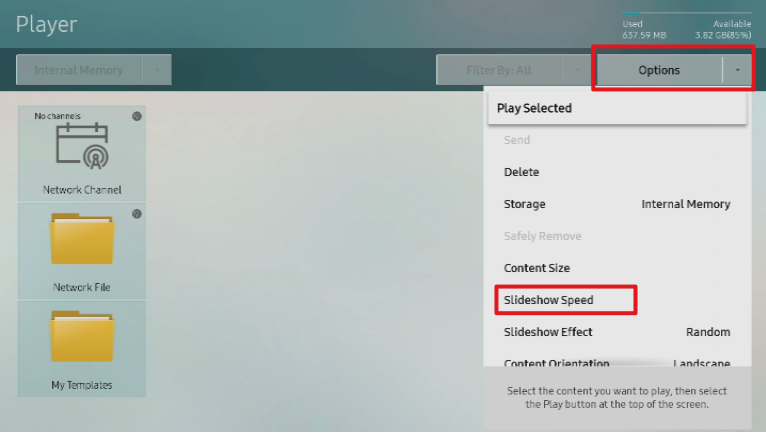
Step 2. Select the time each item should remain on screen.
