Finding a Device's MAC Address
Every network interface has a unique MAC address. In MagicINFO deployments the MAC address identifies a specific display on the network, and it is often required when registering a device with a server or when requesting support.
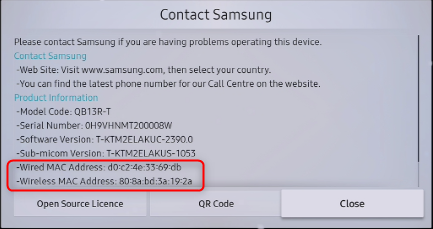
Depending on the model, a display can have one or two MAC addresses — one for the wired interface and one for wireless. When asked for the MAC address, provide both if the device has both.
The MAC address is shown on the Contact Samsung page of the on-screen menu.
-
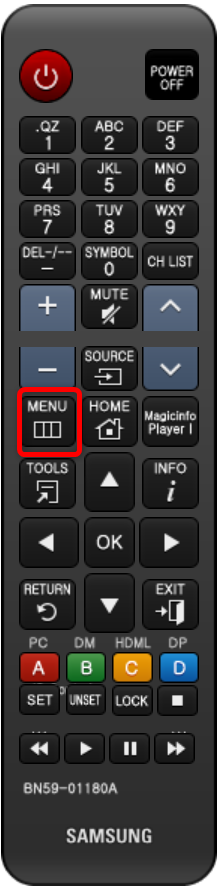
Press Menu on the device's remote control.
-
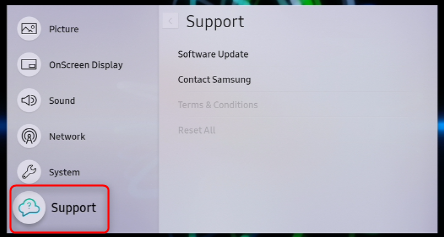
Navigate to Support with the arrow keys.
-
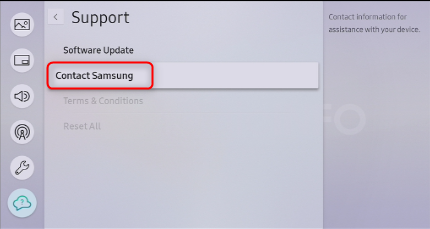
Select Contact Samsung.
-
Press the Down arrow key to scroll through the details. The MAC address is listed among the device information.
If you are connecting the device to a hosted MagicINFO environment, pass the MAC address(es) to your MagicINFO supplier or Samsung representative so the device can be registered.