Activating a Free Trial License
A free trial license lets you evaluate MagicINFO Server before purchasing a full license. Trial licenses can be activated on on-premises installations only.
Open the Free License dialog
-
Sign in to the MagicINFO Server web interface and click Setting in the menu bar on the left side of the screen.
-
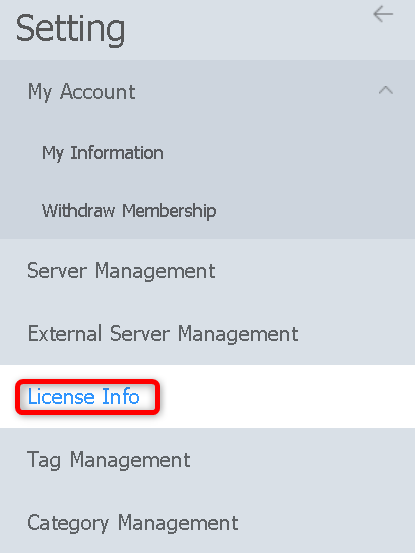
In the Setting menu, click License Info.
-
Click Free License.

Server with Internet access
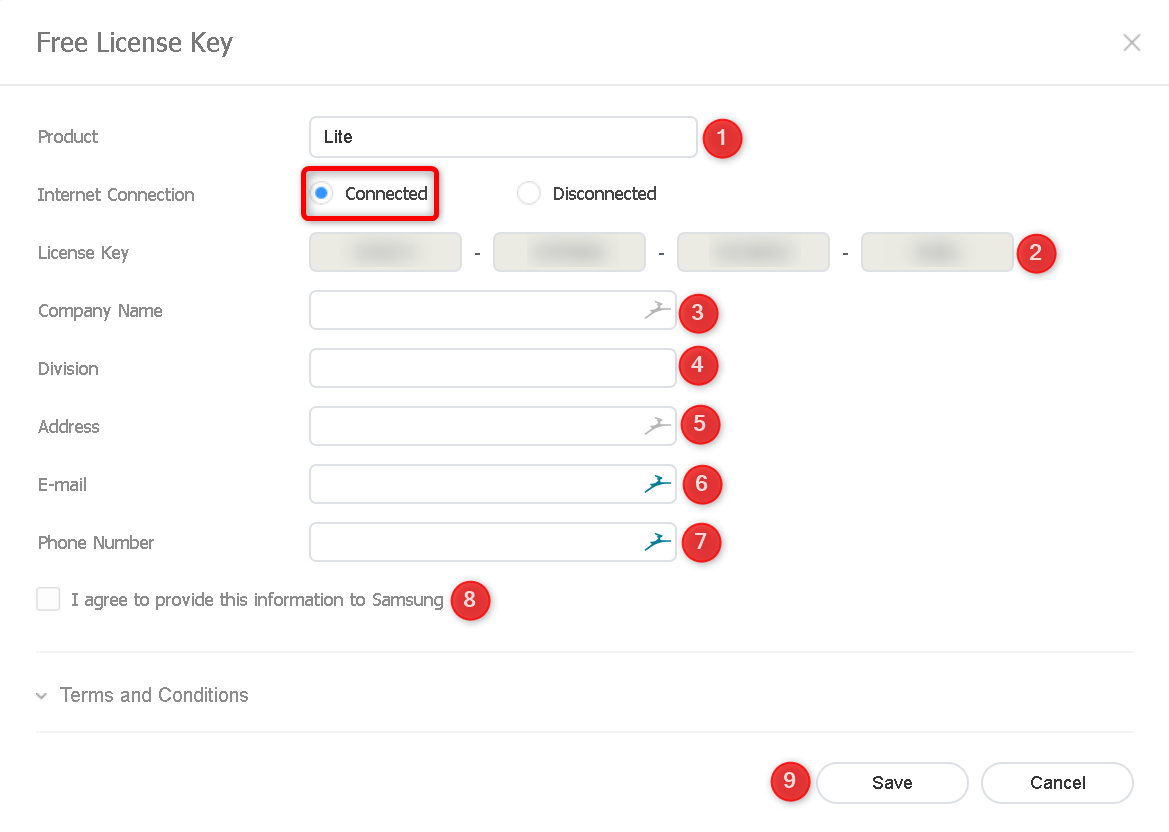
- In Product, select the MagicINFO edition you want to trial.
- Set Internet Connection to Connected.
- Enter the generated license key in the License Key fields.
- Fill in the company name, division, and address.
- Fill in the e-mail address and phone number.
- Select the check box to agree to the terms and conditions.
- Click Save.
Server without Internet access
A trial license can also be activated offline. In this flow, the activation is issued out of band: note down the License Key and the H/W Unique Key shown in the dialog and provide both to your license provider, who returns a key file (the activation key).
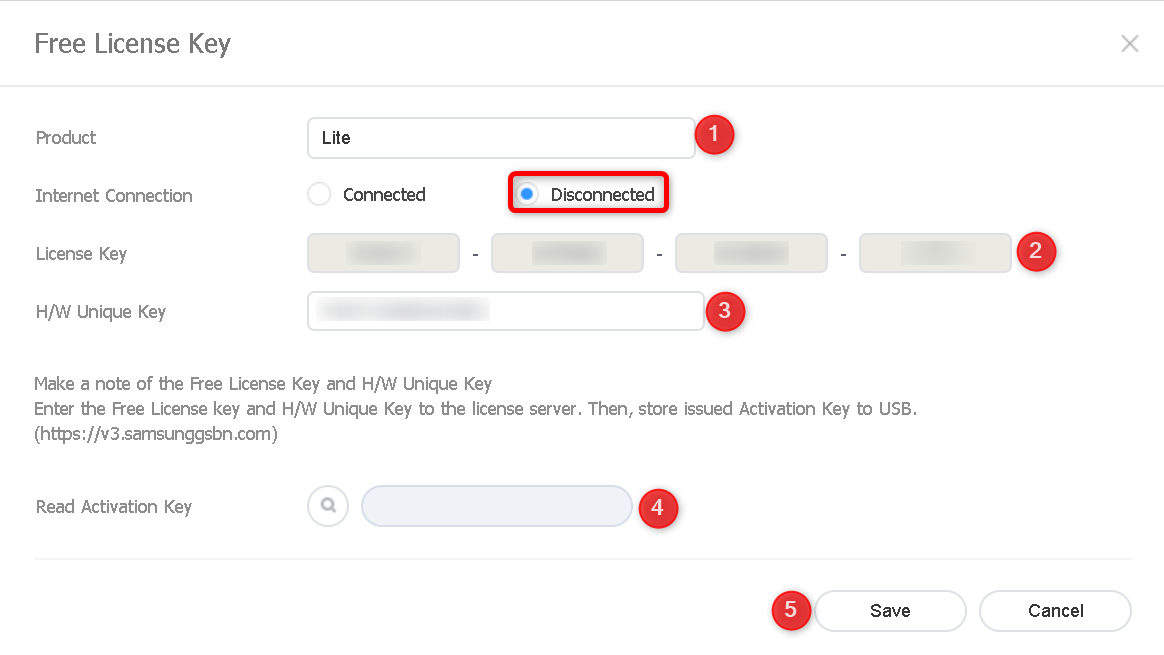
- In Product, select the MagicINFO edition you want to trial.
- Set Internet Connection to Disconnected.
- Enter the generated license key in the License Key fields.
- Enter the H/W Unique Key.
- In Read Activation Key, upload the key file you received.
- Click Save.
info
When you are ready to move to a full license, see Activating a license key.