Tag Matching: Which Content Plays on Which Device
Assign a tag to a device and content files. This allows you to selectively play content files on a specific device.
To assign a tag to a device and content, first make sure to add the tag to MagicINFO Server. For information about adding and editing tags, see Managing devices with tags.
Example of using tags
Adding tags to a playlist
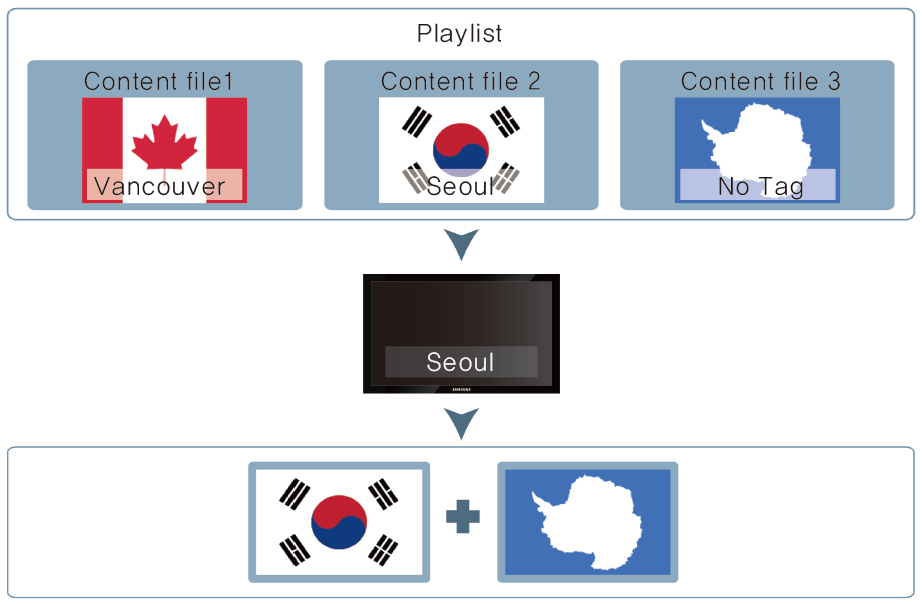
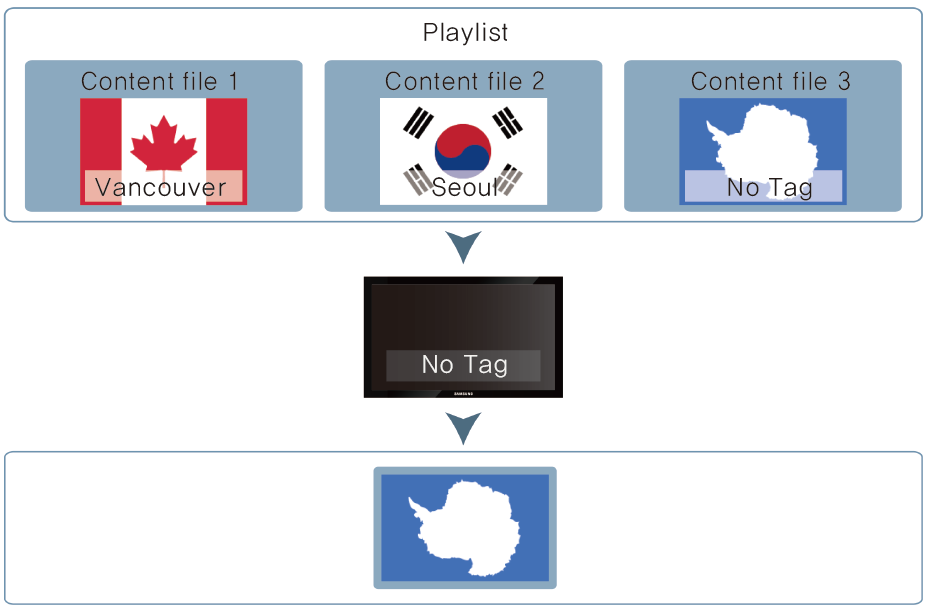
Assign different tags to content files in a playlist. This allows a device with a tag to selectively play content files in a playlist that have the same tag.
- For tagging content in a playlist, see Creating a playlist.
- You can use tags to play content from different playlists on multiple devices simultaneously. For details, see Creating synced playback schedules.
- For tagging devices, see Managing devices with tags.
- Insert multiple tags into a single content file, if required. For further details, see Using multiple tags.
Setting tags to DataLink content
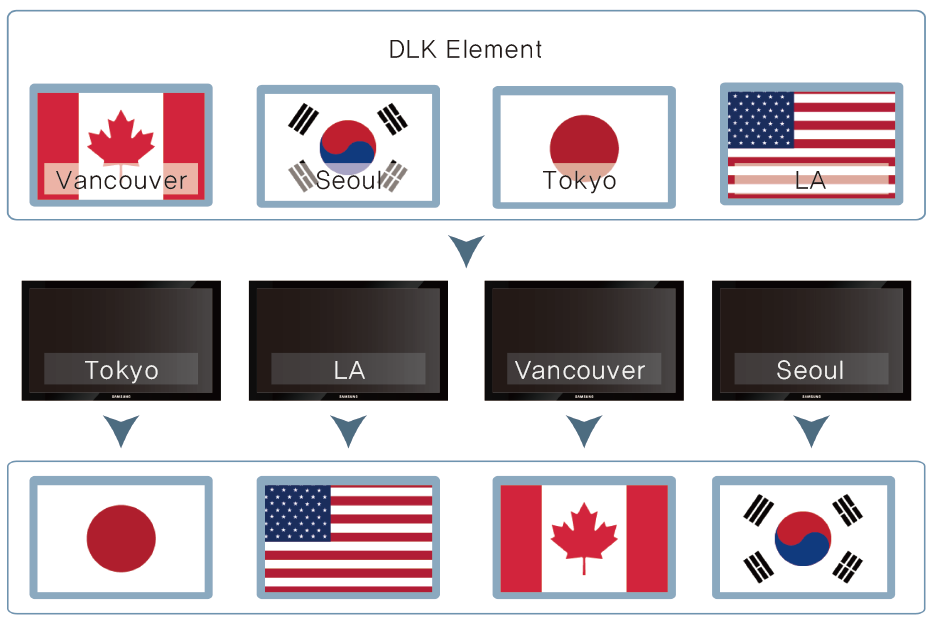
Elements that can be inserted into a DataLink template include image, text, and video files. Users can map various content files into a DLK template. Assign different tags to content files. This allows a device with a tag to selectively play content files that have the same tag.
- DLK content tags can be set when creating the DLK content. For details, see Creating DataLink content.
- For tagging devices, see Managing devices with tags.
- Insert multiple tags into a single content file, if required. For further details, see Using multiple tags.
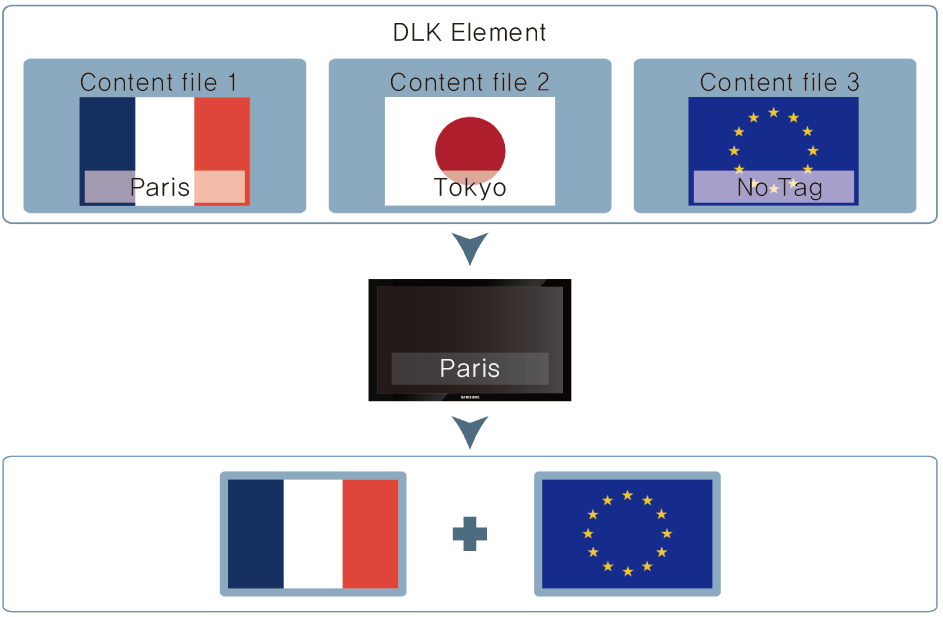
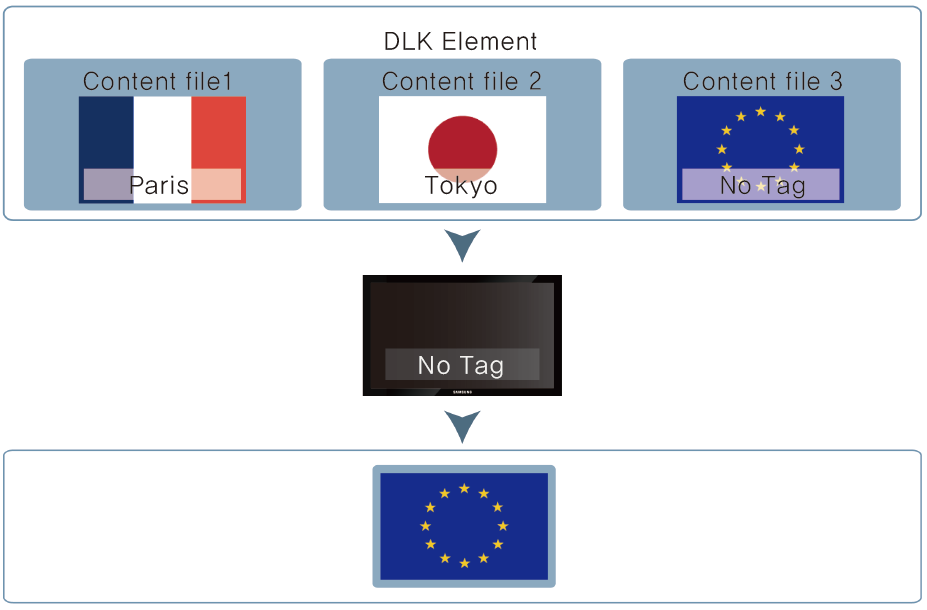
Adding tags to DataLink data
Similar to content files, DLK data use tags that have been added to MagicINFO Server as Main Tag. DLK data display complex and variable information. DataLink Tag allow you to selectively display information as desired.
- DataLink tags can be set when creating DLK content. For details, see Creating DataLink content.
- For tagging devices, see Managing devices with tags.
DataLink Tag example
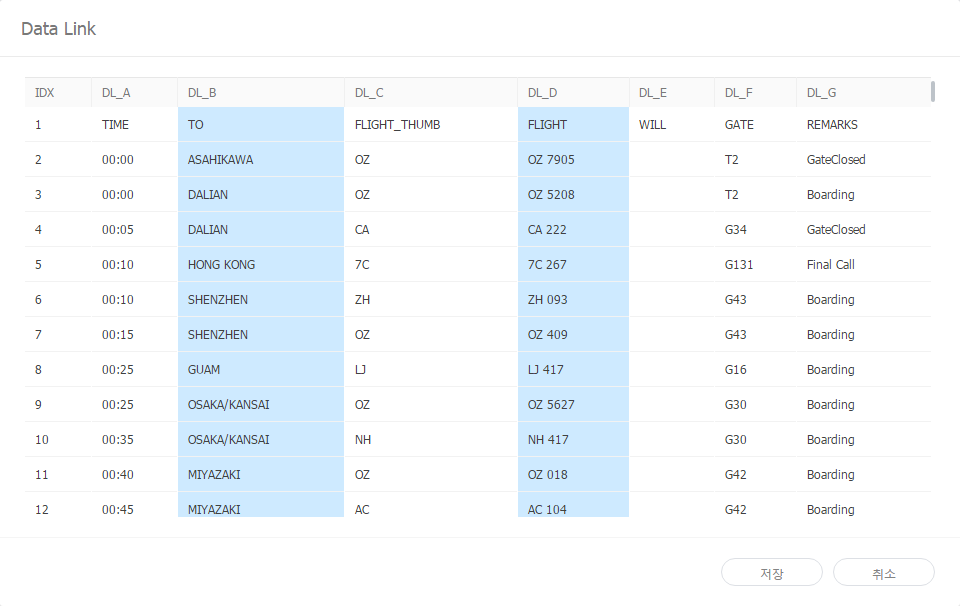
- To display "flight information for each city" on multiple devices, add the "flight name" data column as DataLink content.
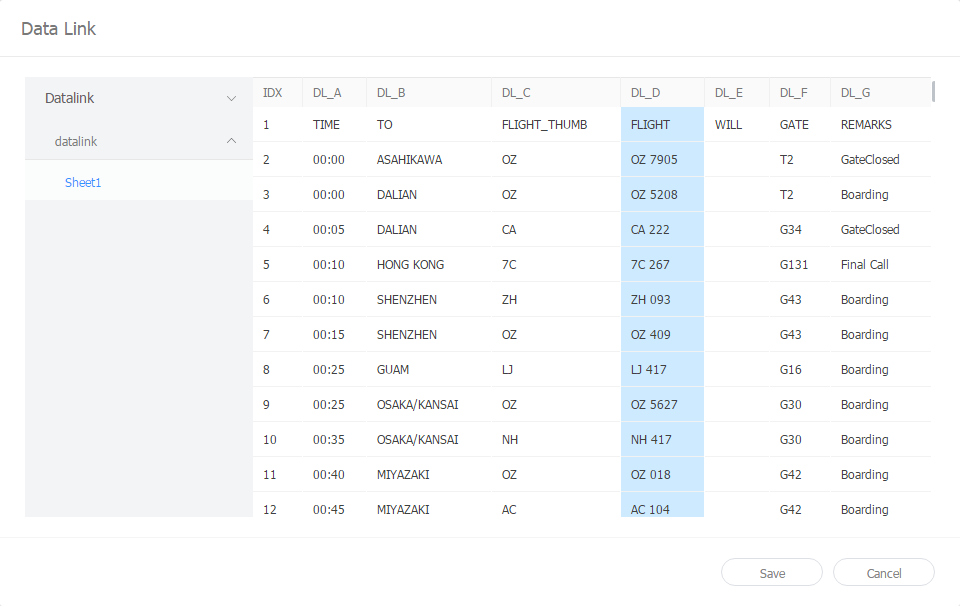
- Select the "city name" data column as the DataLink Tag value.
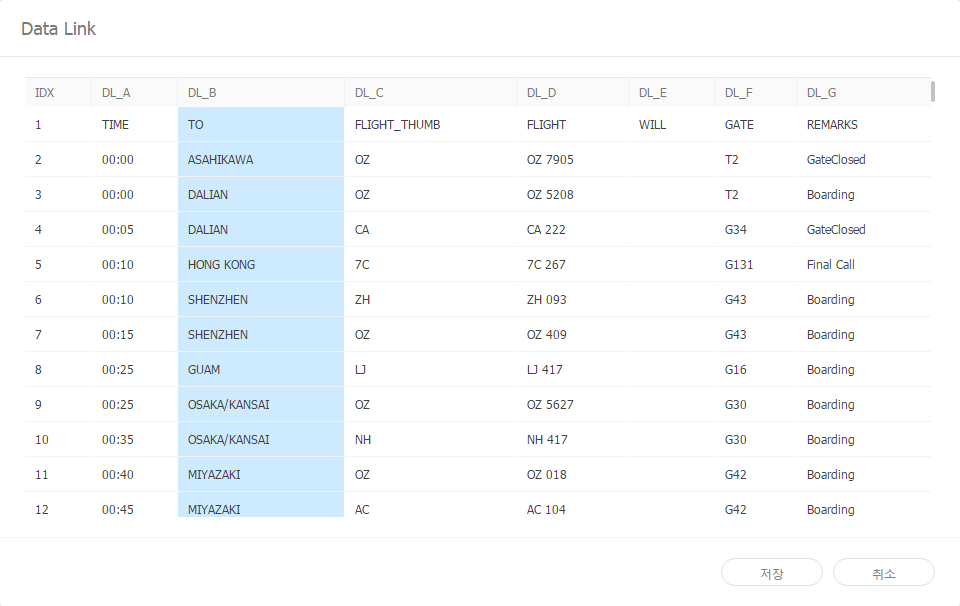
- Each device with a tag imports and displays flight information for a city corresponding to the DataLink Tag value that matches their tag. For example, a device with a tag set to HONG KONG displays 7C 267. A device with a tag set to GUAM displays LJ 417.
- It is possible to use the Main Tag and a DataLink Tag together.
- A data table cannot have multiple DataLink Tag.
- Refer to the MagicINFO DataLink user guide for details on DataLink.
Using multiple tags
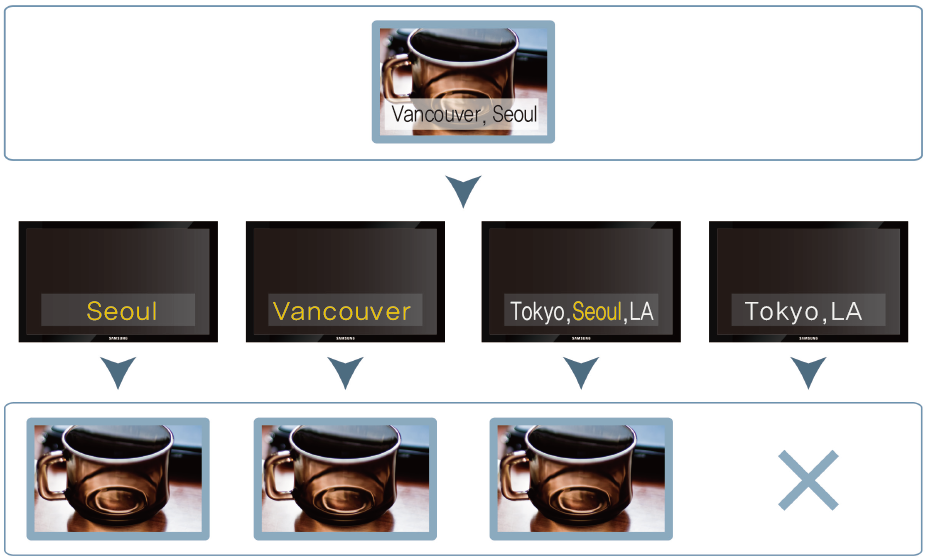
Assign multiple tags to a single device or content file, if required. Select tags from the list. Next, select the And or Or condition.
Playing fully-matched tags
Content is played on a device that has all the tags assigned to the content.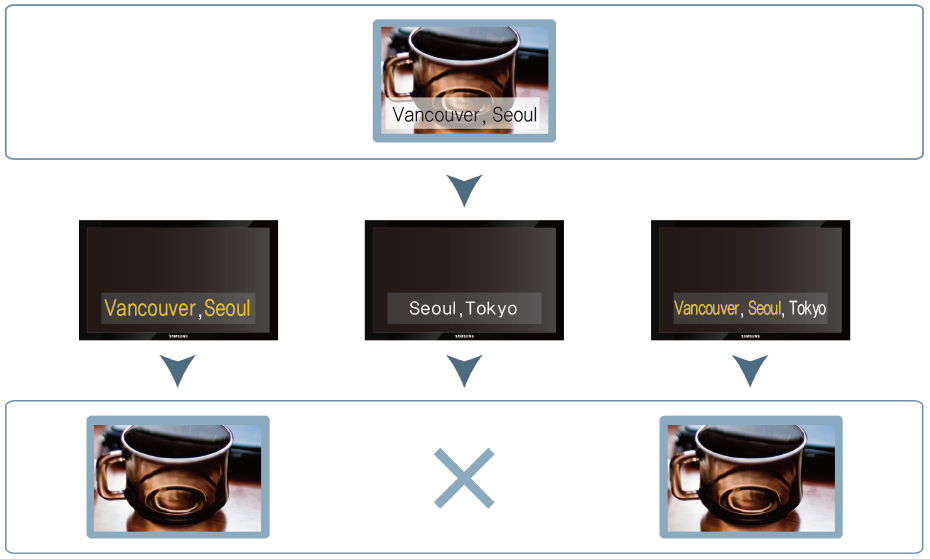
Playing partially-matched tags
Content is played on a device that has at least one of the tags assigned to the content.