MagicINFO Mobile: Browse and Edit Playlists
Create playlists to distribute to devices added to the server. Manage the playlists by category.
Currently, only the general playlist and general schedule can be modified from the mobile environment.
Select  > Playlist. Playlists are displayed as a list.
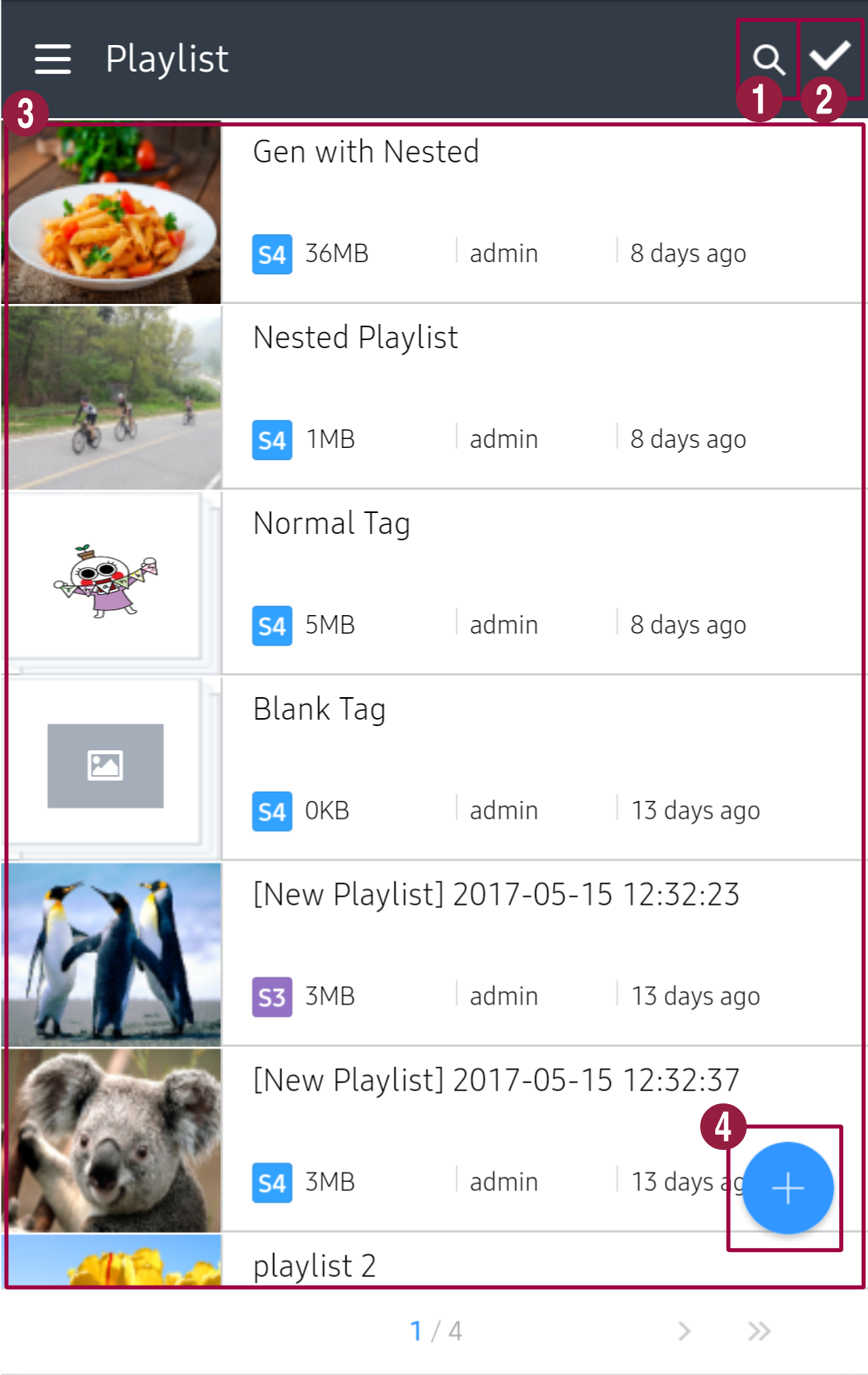
- Search for specific playlists. Enter a keyword in the search box.
- Select playlists from the list. To select all playlists, press Select All. To delete the selected playlist(s), press Delete.
- Playlists registered on the server are shown. Press a specific playlist to view the playlist details.
- Create and upload playlists to the server. For details, see MagicINFO Mobile: Create a Playlist.
Filtering the playlist list
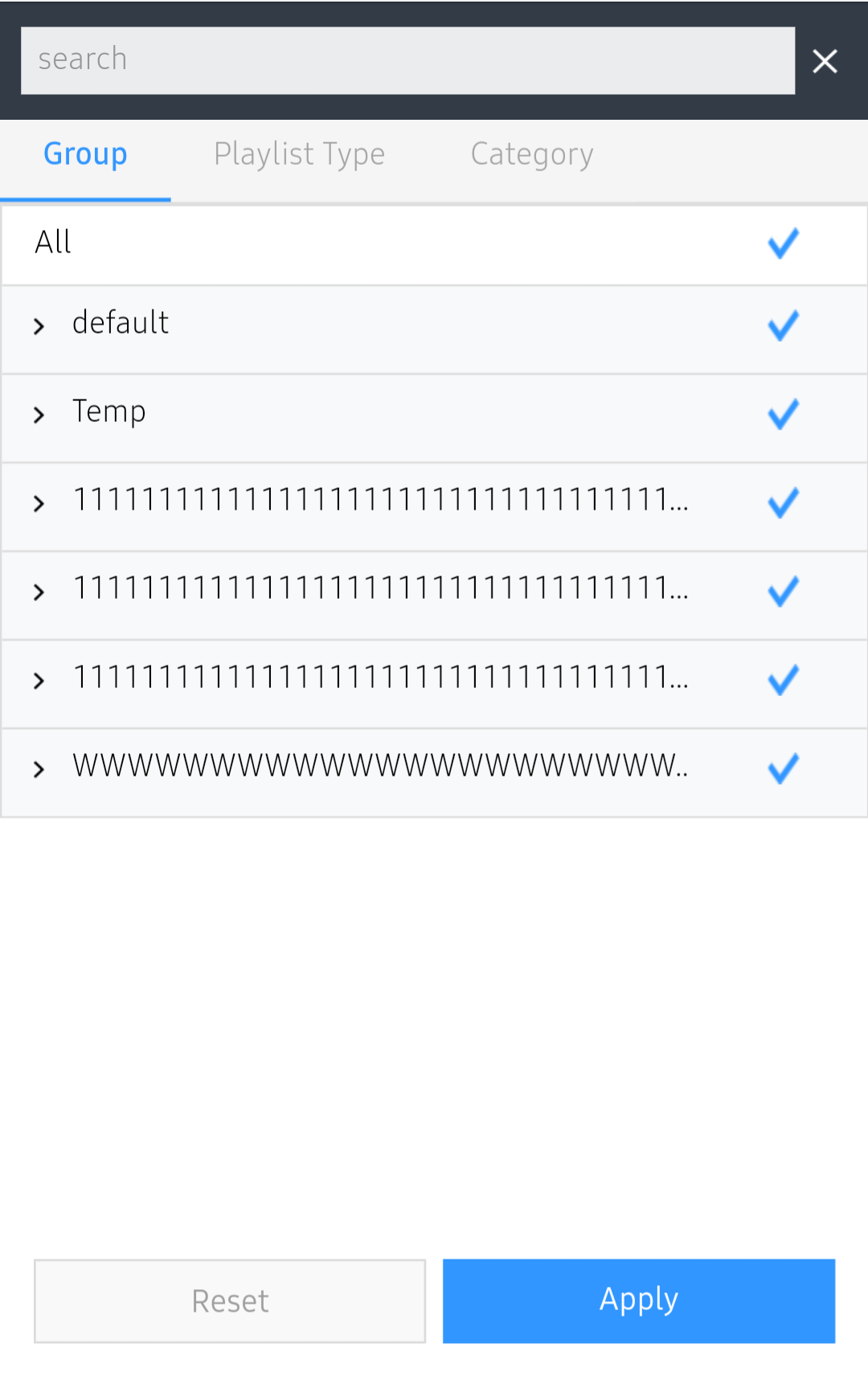
Tap  in the list of playlists, choose a condition on each tab and press Apply. Press Reset to clear the filters.
| Tab | Filters playlists by |
|---|---|
| Group | Group. Groups can only be created and edited in the desktop web console. |
| Playlist Type | Playback type. |
| Category | Category. Categories can only be managed in the desktop web console. |