MagicINFO Mobile: Create a Message Schedule
Use Mobile to easily create a message schedule.
- Select
 > Schedule > Message.
- Click
 in the schedule list.
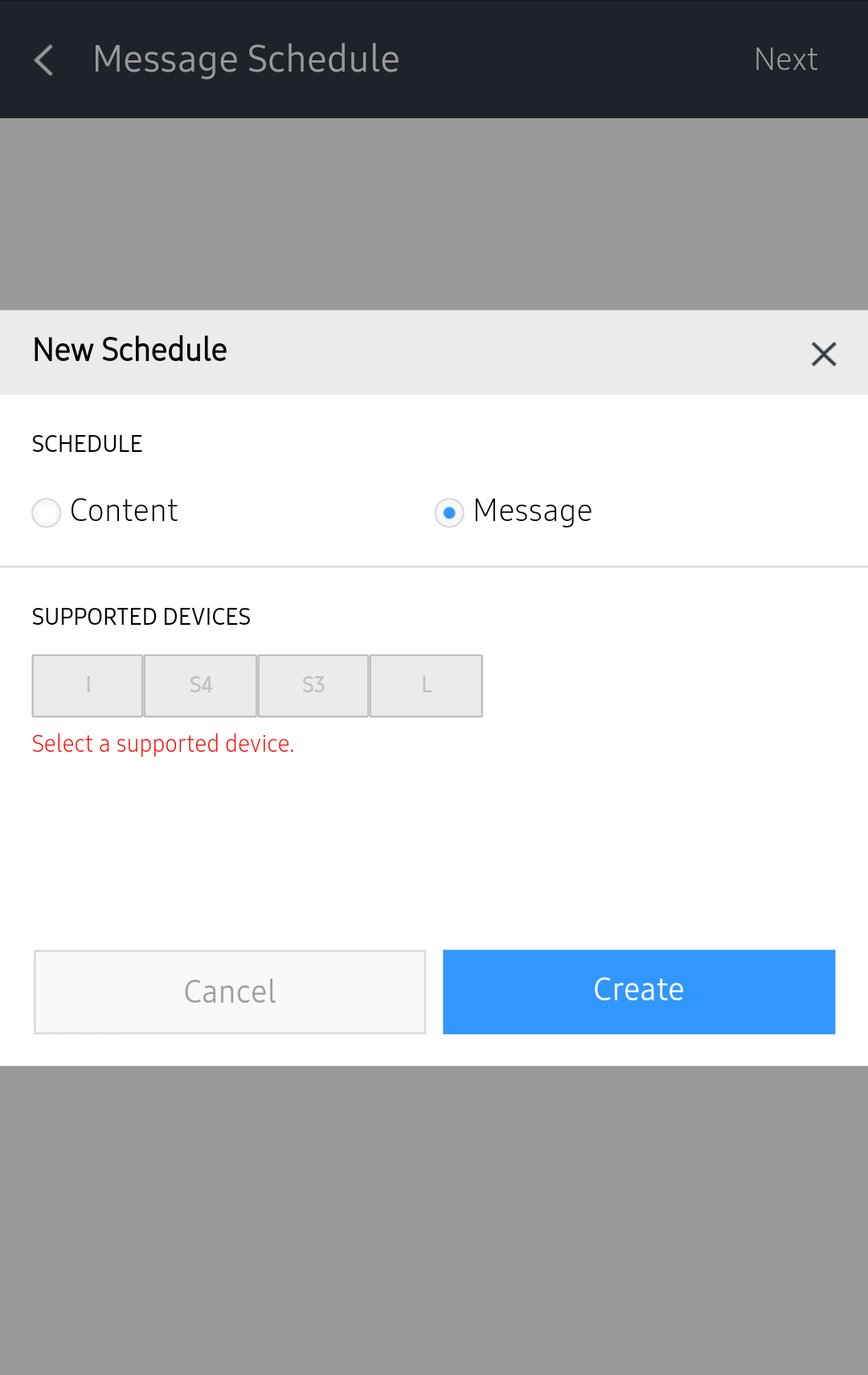
- Select a device type and press Create.
- Configure schedule details and press Done.
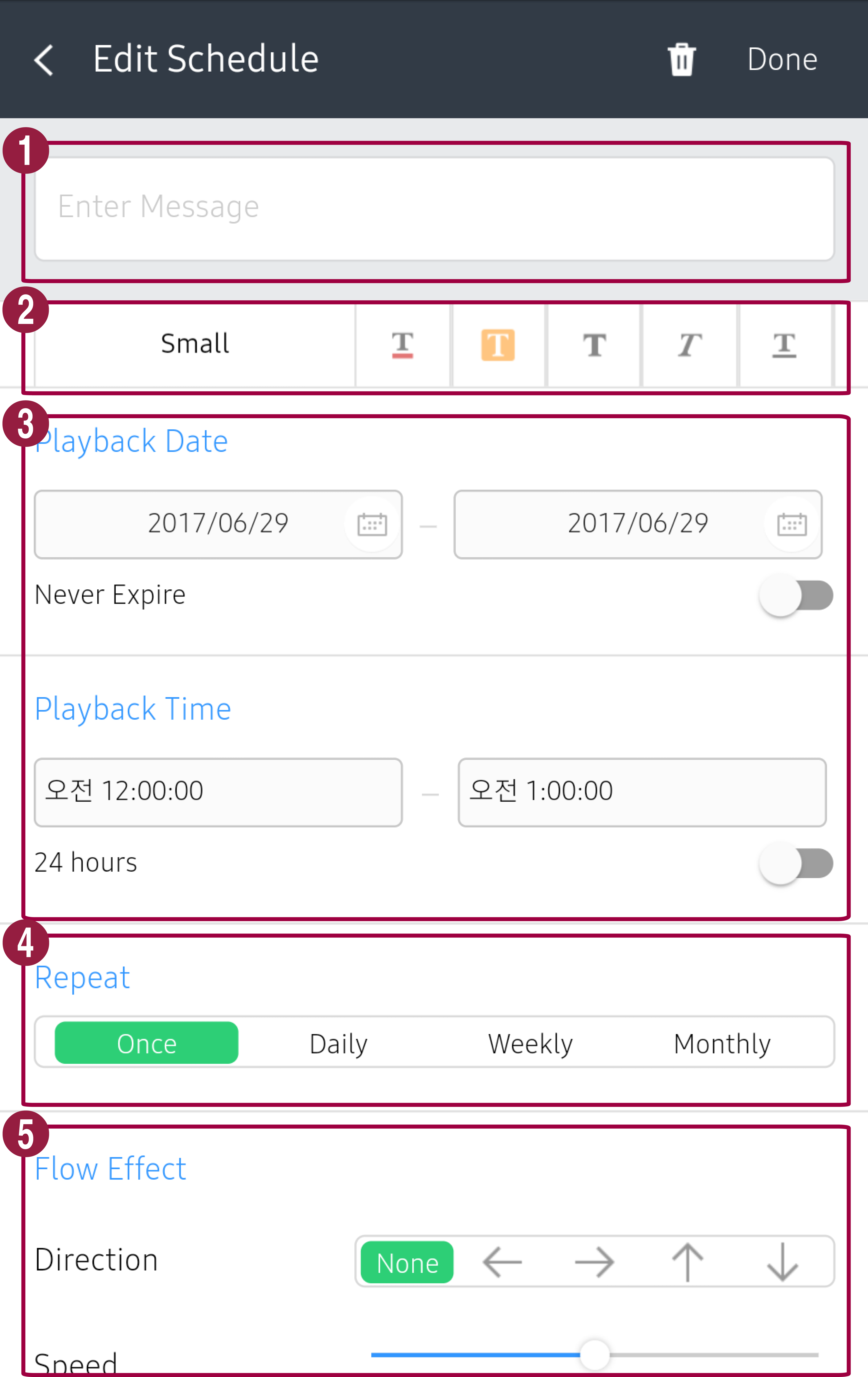
- Enter a message.
- Set the message size, color, and shape.
- Set the time to play the message.
- Set the schedule repeat interval. Select a repeat interval.
- Set the message position, scroll direction and speed for playback on devices. Screen can be displayed differently depending on the type of message schedule device.
- Enter message schedule details and press Save. The schedule is registered on the server.
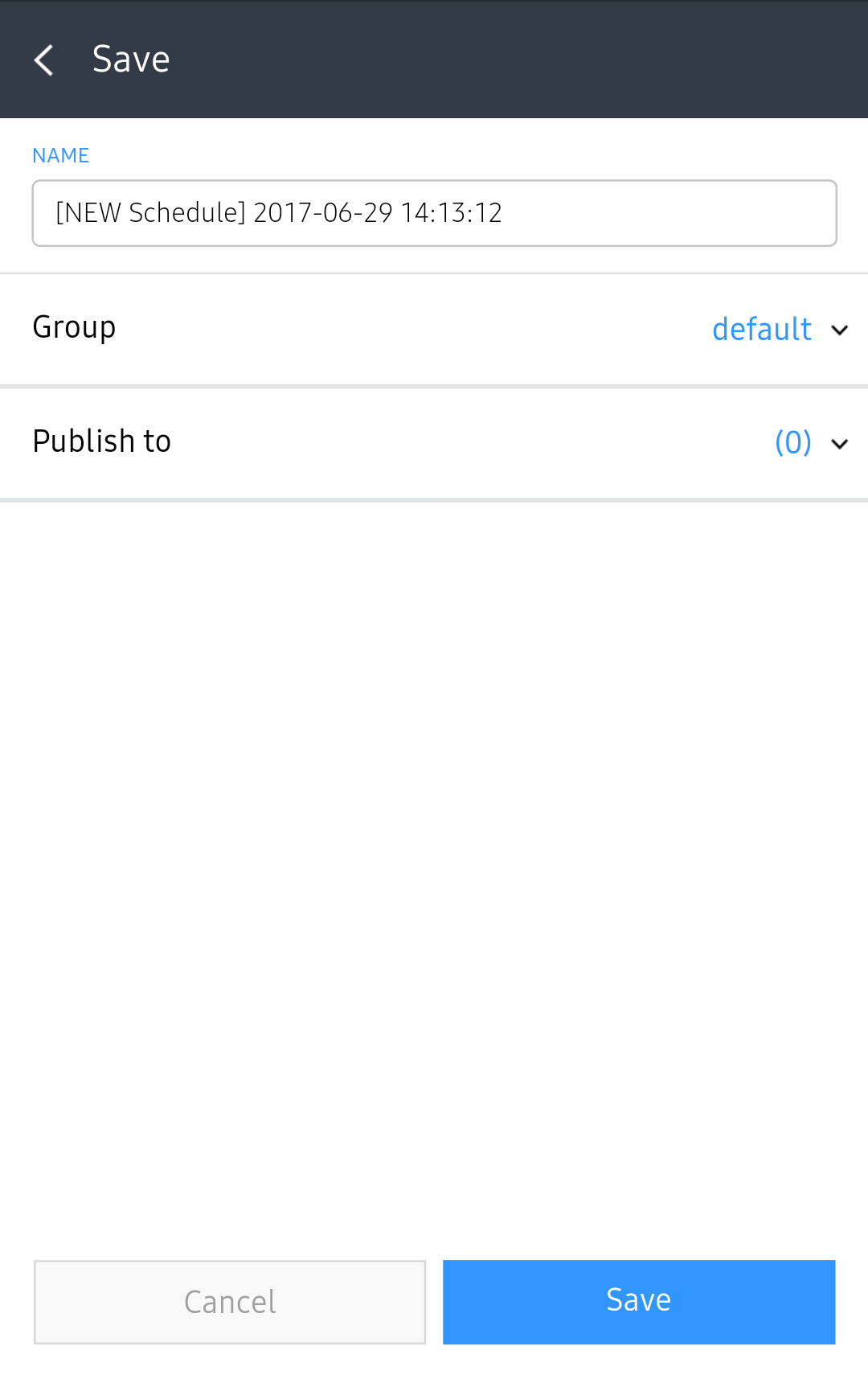
| Item | Description |
|---|---|
| Name | Enter a schedule name. A single schedule name cannot be used more than once. |
| Group | Select a schedule group. |
| Publish to | Select a device to distribute the schedule to. |