Spot: Connect the Player to Spot Manager
Press the player from the list where spot function will be executed.
Once the initial setup is done, open Spot Manager by pressing  on the tablet. Players connected to the same Wi-Fi access point as the tablet appear in the list.
Managing player list
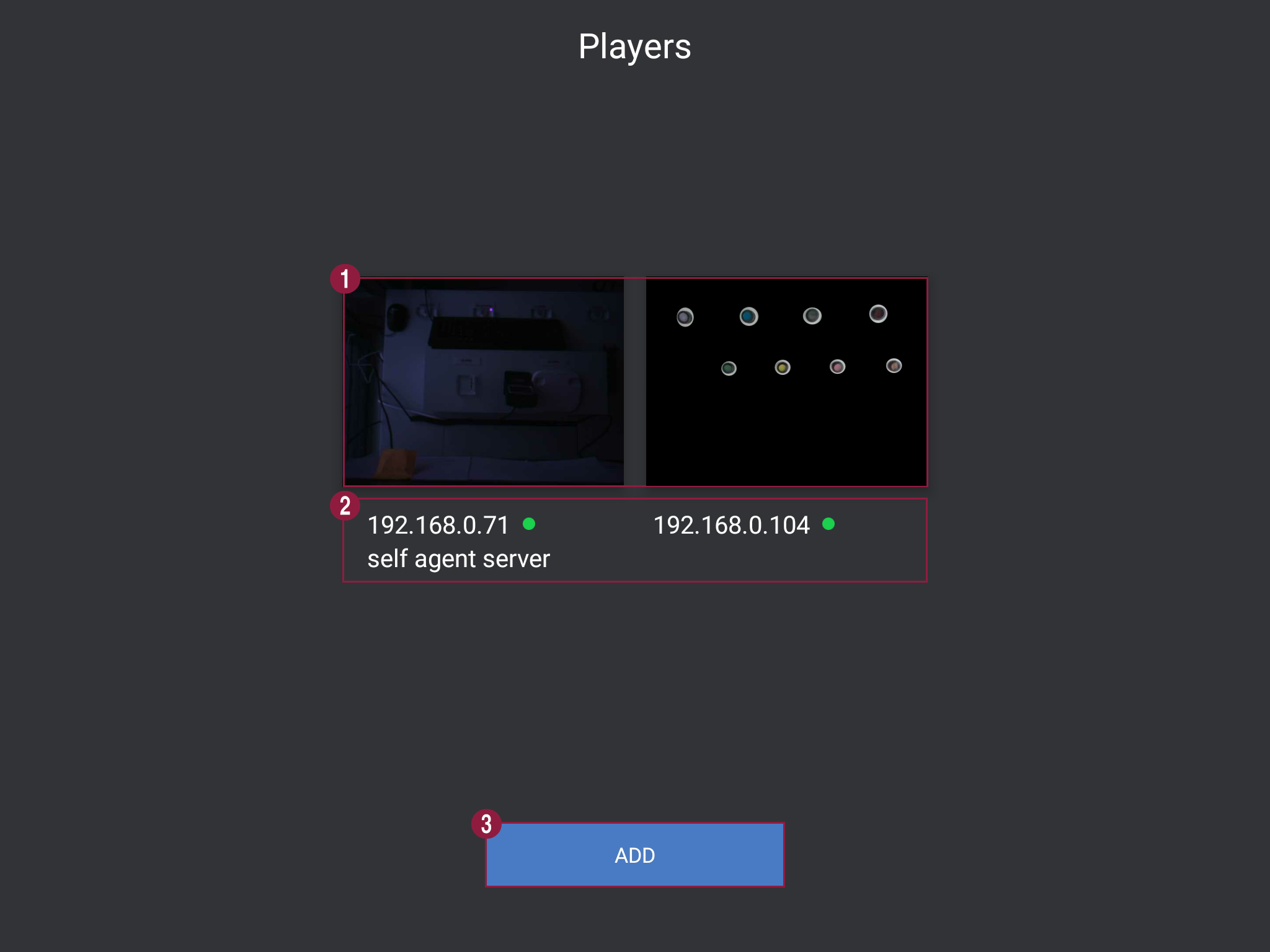
| Item | Description |
|---|---|
| 1 | Thumbnail of the player that is connected to same AP is automatically displayed. Press and hold the thumbnail and icon for managing player will be displayed. -  Player name can be set. -  Player can be deleted from the list. |
| 2 | IP address of the PC, player name, and connection status are displayed. -  It can be connected to player. -  It cannot be connected to player. |
| 3 | New player can be added. |