Spot for I Player: Play Content When Motion Is Seen
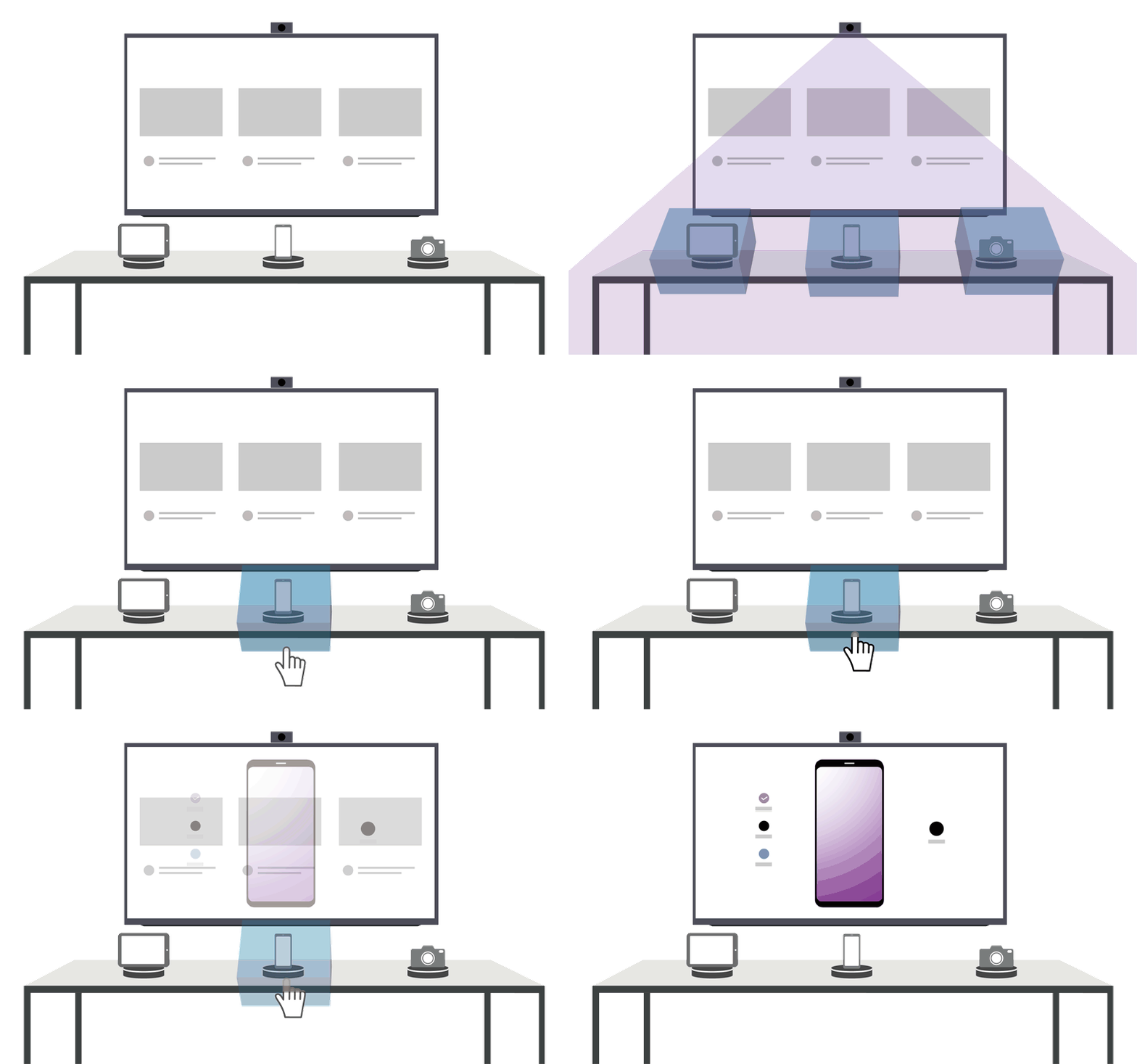
Spot is a program that plays a designated content page on the player when operation is detected in a certain area covered by a virtual operation detection box. A camera connected to the player PC watches the scene, and an Android tablet running the Spot Manager app is used to designate and manage the detection areas and the content pages they trigger. This section is for installers and operators building interactive I Player installations.
What's in this section
| Topic | Description |
|---|---|
| Before start | Terms used in this guide, installation requirements (tablet, PC, camera), and initial environment setup: installing Spot Manager, enabling the Spot module in the player, and connecting the camera. |
| Executing Spot Manager | Start Spot Manager on the tablet and view the players connected to the same AP. |
| Connecting player | Select a player from the list and manage the player list (rename, delete, add players). |
| Using Spot Manager | Work in the edit screen: create operation detection boxes and map content pages onto them. |
| Setting user environment | Switch the player screen, invert the camera view, check logs, set a PIN number, and view Spot information. |
| How to use Spot | End-to-end walkthrough from installing the camera to distributing content and mapping pages onto detection boxes. |