Device Security Tab: Safety Lock and Remote Lock
The security items of the device can be set and modified. Click the Security tab from the edit device info window.
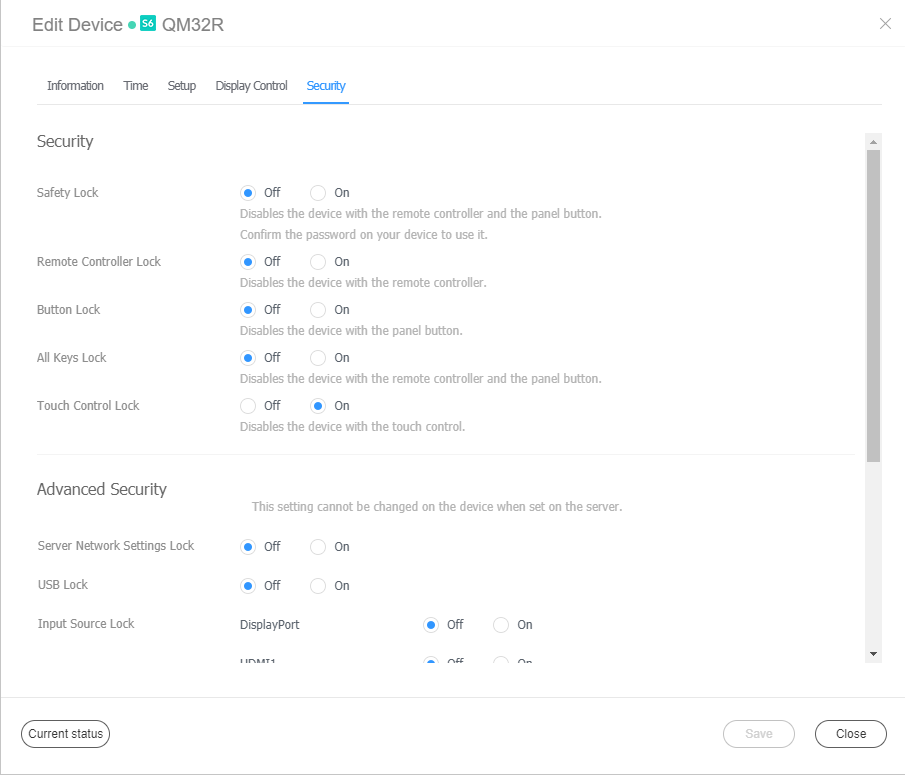
| Item | Description |
|---|---|
| Security | Safety Lock: You can set not to control major settings of the device. Remote Control Lock: You can set not to control the device with the remote control. Button Lock: You can set not to operate major buttons on the device. All Keys Lock: You can set not to operate all buttons on the device. |
| Advanced Security | Server Network Settings Lock: Prevents settings changed from the server from being edited from the device. USB Lock: Prevents the device from connecting to USB. Input Source Lock: Prevents a specific input source from operating. Wi-Fi Lock: Prevents the device from connecting to Wi-Fi. Network Lock: Prevents the device from connecting to a network. Screen Monitoring Lock: Prevents the device from transmitting screenshots to the server. |