Event Triggers in Web Author Content
The event trigger function generates events after receiving signals from various sensors or devices through the serial (COM) port or network port (UDP broadcast). Player waits until it receives specific event strings that generate events through the serial port or network port. If the received string matches any predefined command string, Player moves to the predefined page. For details on the event triggers provided by Premium Author, see Using event triggers.
Event trigger settings
Click  on the Web Author editing page. Available settings are as follows:
- Edit Event Activate, deactivate, or edit external events from a network or serial port.
- Previewing event schedules This allows you to view set events per page and general flow for all events.
- Serial ports Settings Enter the port number to directly configure the serial port.
- Network ports Settings The network port can be set by entering the UDP port number.
Configuring an event trigger
- Click (Edit Event) on the Web Author editing page.
- Click the port to activate.
- Click Add and then configure the settings for trigger, action, and page.
- After configuring required settings, click Save. Event settings are configured and the event is activated. Available event action is now Page Move.
Previewing event schedules
This allows you to view set events per page and general flow for all events.
Click > Preview Event Flow on the Web Author editing page.
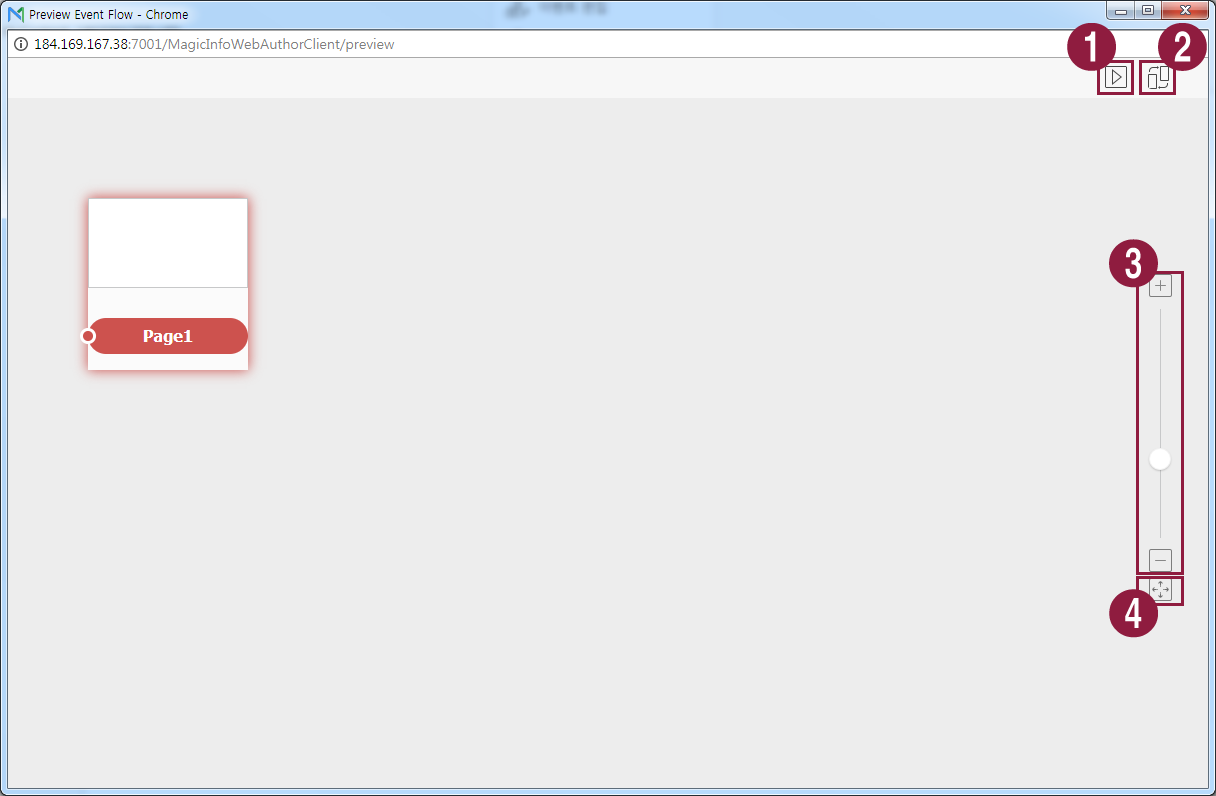
- Test to confirm that each event is triggered in Player as set.
- Arrange page thumbnails.
- Zoom in or out of the screen.
- Fit to screen size.