View, Edit and Delete Events
You can modify or delete the created event. Click  (Schedule) > Event > Event Manger on ther main menu bar.
Viewing event details
Click an event name from the event list to view the event details.
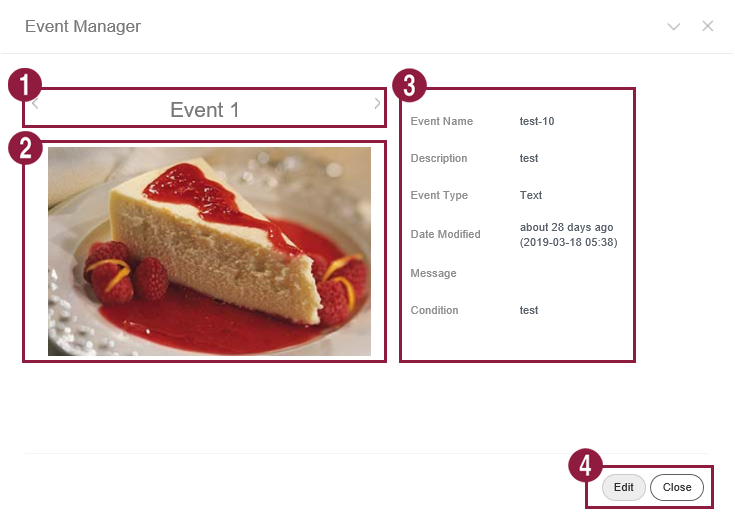
- Click the
 or
 icon to view another event condition.
- Preview the event.
- View the event details.
- Edit: Edit the event using the same method as creating an event.
- Close: Close the details window.
Editing events
Select an event from the event list and click Edit. Edit the event using the same method as creating an event.
Deleting events
Delete events from the event list. Select an event and click Delete Permanently to delete the event permanently. Permanently deleted events cannot be restored.