Setting the Device Time and Date
A display with an incorrect clock may refuse to connect to the MagicINFO server even when every other setting appears correct. A clock set in the past is a particularly common cause of connection failures, so when a device will not connect, verify the time and date in the display menu before changing anything else.
Procedure
-
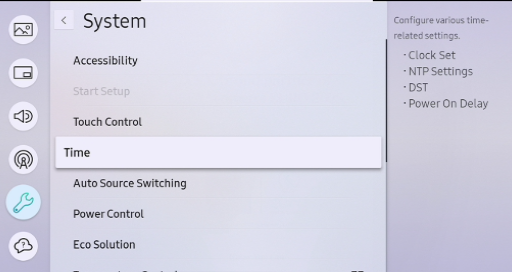
Press Menu on the remote control and go to System > Time.
-
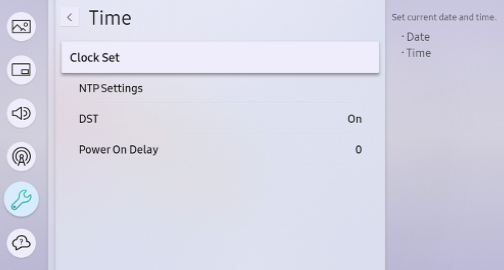
Select Clock Set.
-
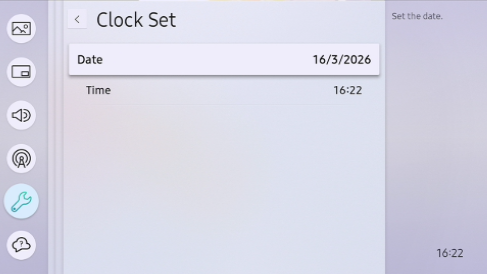
Enter the correct date and time, then confirm.
Once the clock is correct, the display should be able to establish the server connection. If it still fails to connect, continue with Display not registering with the server.