Converting a Device to W Player
MagicINFO Server version 8 and later can convert a connected device to the W Player type. The conversion is started from the server's device list; afterward the device reconnects as a W Player and needs the W Player web app published to it.
Schedule and content files stored on the device are deleted when the device type is converted.
Start the conversion
-
Connect the display to the server as a Unified Player first. See Connecting a device to the server if the device is not registered yet.
-
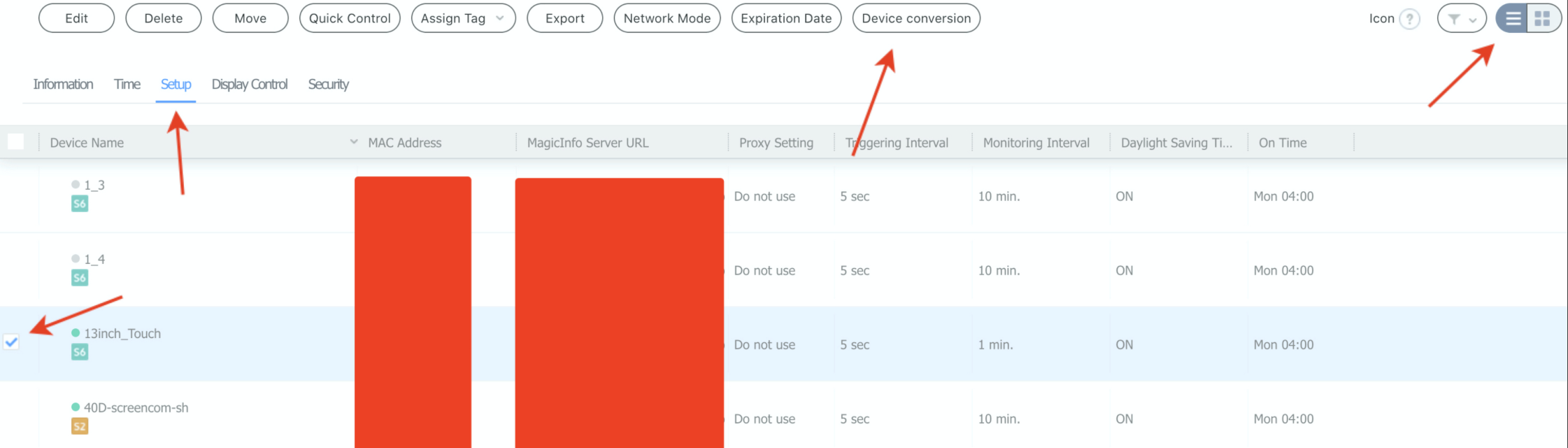
Open the Device menu and switch the device list to list view.
-
Click the Setup tab, select the device, and click Device conversion.
-
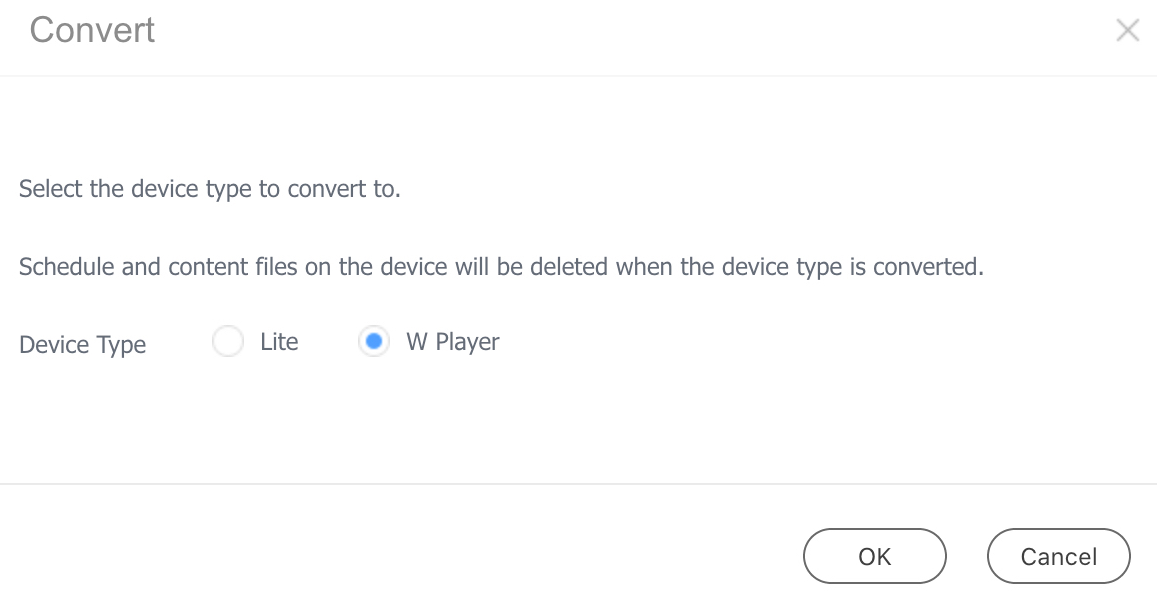
In the Convert dialog, set Device Type to W Player and click OK. The conversion takes some time to complete.
Approve the converted device
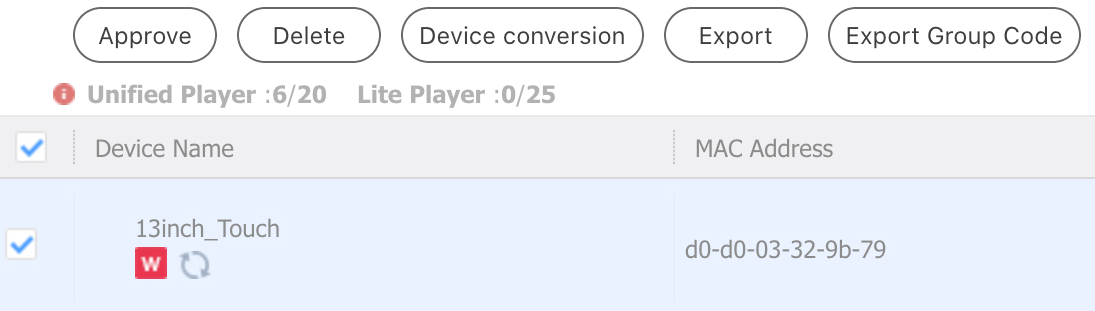
After the conversion, the device reappears in the unapproved device list.
-
Approve the device in the usual way (see Approve New Devices from the Unapproved List). It then connects as a W Player.
Publish the W Player app
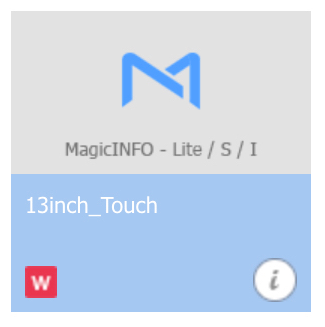
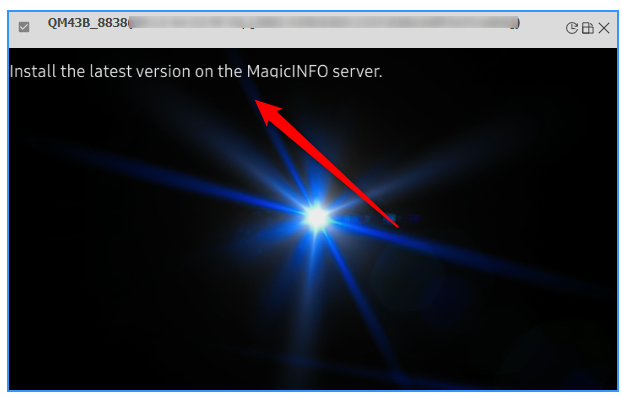
The display now shows a message asking for the latest W Player version to be installed on the MagicINFO server.
-
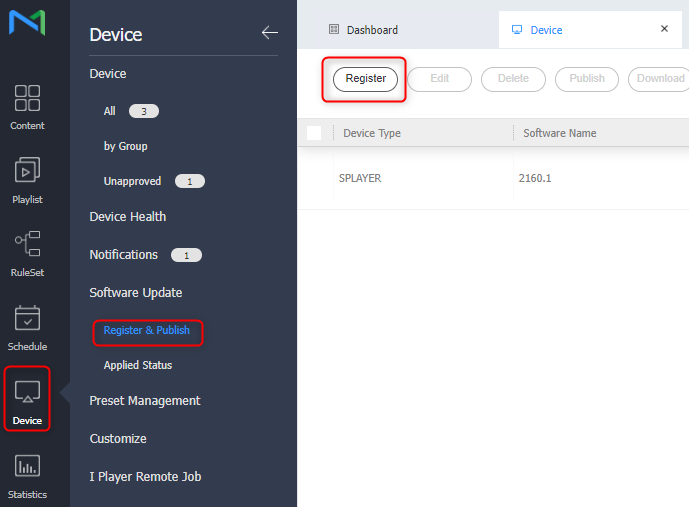
Go to Device > Software Update > Register & Publish and click Register to upload the W Player package.
-
In the Register Software dialog, set Device Type to
WPLAYERand File Type to Web App, then select the package file and click OK.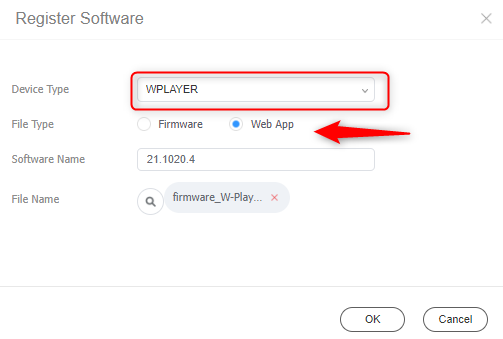
-
Select the registered package and click Publish to push it to the converted display.

For details on distributing software to devices, see Update Display Firmware and Player Software.